BlogThe AI Operating System
How to unify your company's data across the tools you already use
Leave every tool where it is, connect each to one place your team can ask, and answer from the live records. The six steps we run for companies of 20 to 250.
To unify your company's data across the tools you already use, you leave every tool where it is, connect each one to a single place your team can ask questions of, and let that place answer from the live records rather than from copies. That is what an AI Operating System does for a company of 20 to 250 people. The migration projects, the bigger CRM and the warehouse are the routes that fail for companies this size, and this article explains why, then gives you the six steps we actually run.
I have watched a lot of owners try to solve this. The pattern is always the same. The CRM knows the deals. The inbox knows what was promised. The accounts know what was paid. WhatsApp knows what the site manager said on Tuesday. The owner is the only place all four meet, and they rebuild the picture in their head every morning.
Why is your company's data spread across so many tools?
Because every department bought the tool that fitted its job, and every one of those tools was designed to be the centre of your business. A company of 40 people typically runs somewhere between 15 and 40 pieces of software, and none of them was built to talk to the others. At our masterminds I put it like this:
"Imagine operating 40 platforms or 40 softwares into one. You don't have to go into your GHL dashboard, then go to your YouTube analytics, go to your CRM, check your WhatsApp, all of this kind of stuff. The whole point is unified into one, and only telling you what's most relevant."
Alex, What is an AI Operating System?, Imperium mastermind
The problem gets worse as the company grows, because each hire adds a tool and a spreadsheet of their own. I wrote about the mechanics of that in Why you know less about your company every year it grows. This piece is about the fix.
What are the usual ways owners try to unify data, and why do they stall?
Most owners try one of four routes before they find the fifth, and every one of the four puts the maintenance on a person who already has a job. The table below is the version I draw on the whiteboard.
| Route | What it joins | Who maintains it | What breaks | Fit for 20 to 250 people |
|---|---|---|---|---|
| The master spreadsheet | Whatever someone pastes in | One person, by hand, every week | It is stale the day after it is built, and it dies when that person is off | Fine at 5 people, a liability at 20 |
| A bigger CRM | Sales, and whatever you re-key into it | The sales team, under protest | Accounts, operations and messages never move in, so it becomes one more silo with a higher invoice | Solves sales, not the company |
| An integration tool (Zapier, Make) | Pairs of tools, one trigger at a time | Whoever built the zaps, until they leave | Hundreds of brittle one-way rules, no single place to ask a question | Good for a handful of automations, not for a picture of the business |
| A data warehouse and a BI dashboard | The numbers, once an engineer has mapped every table | An engineer or an agency, on retainer | Six-figure setup, months of build, and it still cannot answer "what did we promise this client" | Built for 2,000 people, priced like it |
| An AI Operating System | Every connected tool, read live, in one place you can ask | Imperium, monthly, with your team in control of access | Nothing is copied, so nothing goes stale. Actions wait for approval, so nothing runs off | Built for exactly this size |
The common thread in the first four rows is copying. Each route moves data out of the tool that owns it into somewhere new, and from that moment two versions exist. The fifth row never copies. It reads.
What does "one place" actually mean?
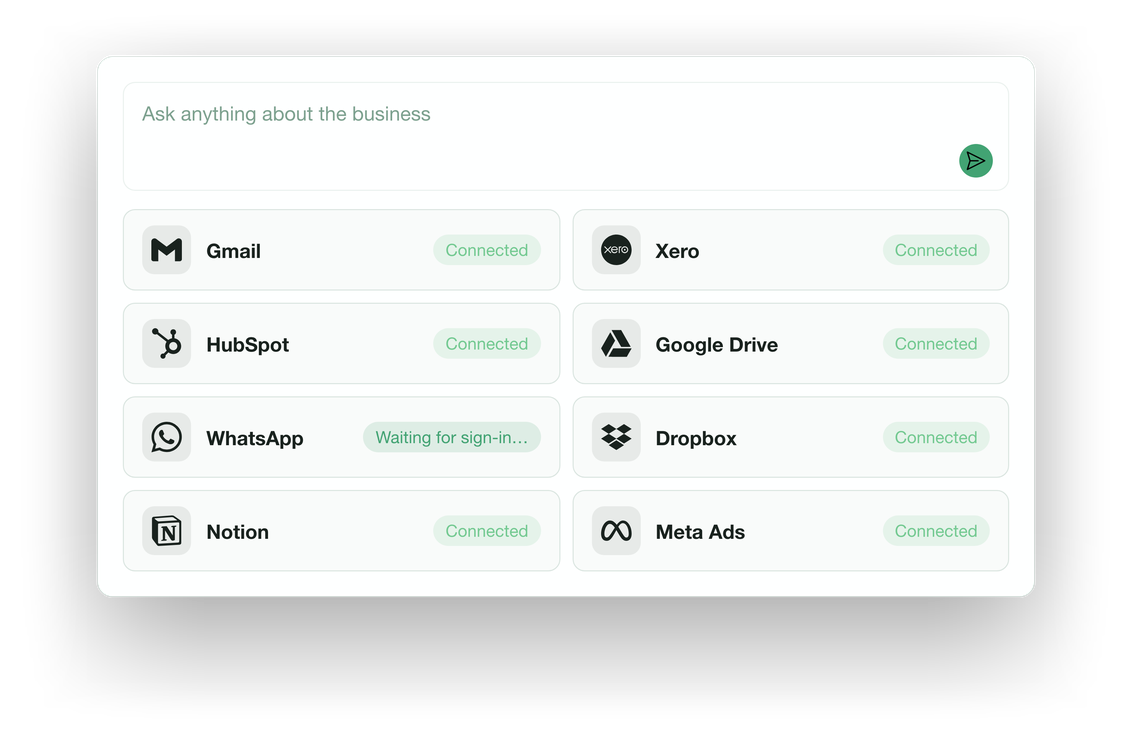
It means one thing your team can ask, which reads across every tool you already run and answers with the records it used. The product line we use on the site says it exactly. The OS knows your business. Ask it a question, get an answer from your own data. Then tell it to do the work you used to do by hand.
The important word is read. Your CRM stays the CRM. Xero stays the accounts. The inbox stays the inbox. Each one remains the system of record for its own job, with the same logins and the same permissions it has today. The OS sits across them, and when someone asks "what is outstanding on the Harrison contract", it pulls the deal from the CRM, the last three emails, the invoice status and the site update from the group chat, and shows all four with their sources.
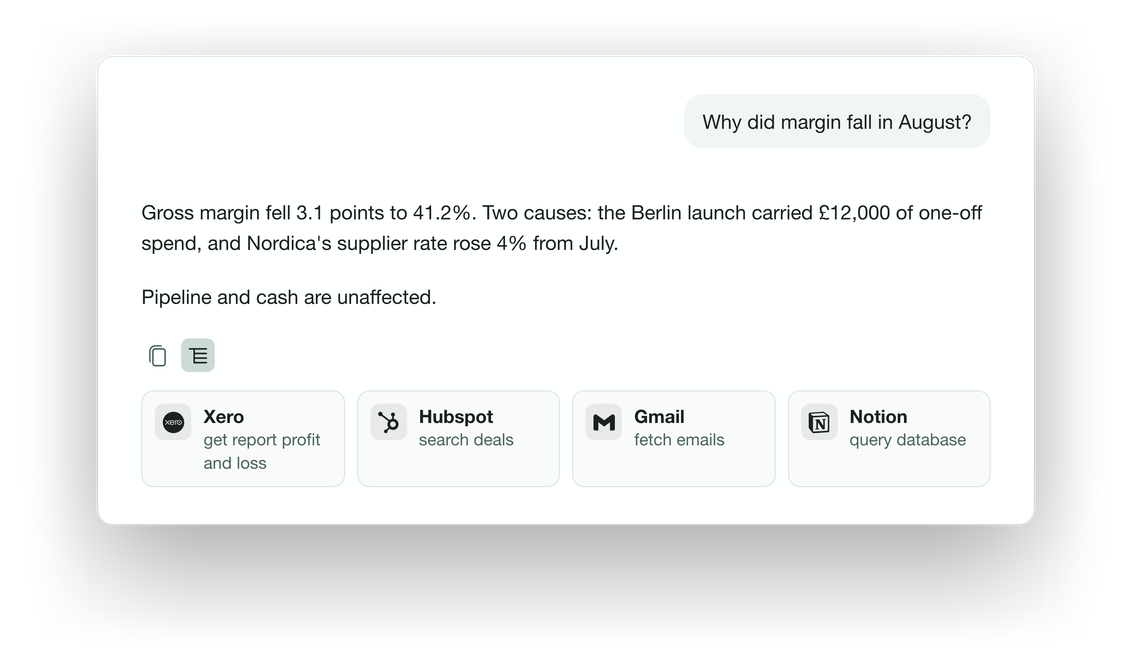
We built this as a set of files on your own machines rather than a platform, for a reason I have given on stage more than once. The software layer is the cheap part now. The data underneath it is the only part that holds value, and the tools that hold it are turning into plumbing:
"We believe specific softwares like Salesforce or HubSpot are going to be one small part in the grand scheme of an operating system. Everyone's going to have one place where they interact with all of their data, all of their software. All of these other softwares will just be like headless APIs."
Alex, How to increase revenue with AI, Imperium mastermind
How do you unify company data in practice? The six steps we run
The order matters more than the tooling. Every stalled project I have seen skipped step one or step four.
- Write down the ten questions you ask every week. Not the data you have, the questions you ask. "Which projects are behind." "Who has not paid." "What did we promise this client." "How many viewings turned into offers." If a question is not on the list, its data can wait.
- List every tool those questions touch, and who owns each. Most companies land between 15 and 40 tools. Mark the six or seven that answer the ten questions. That is the first wave. The rest connect later or never.
- Connect the first wave, read-only, in one afternoon. The OS connects to the tools you already run, and there are more than 1,400 available connections, from the ordinary CRMs and accounting packages to the tools specific to your trade. Nothing moves. Nothing is re-keyed. Isaac, who runs a sourcing business in the United States, described the first session this way: "we were able to go and work for about three to four hours and really automate 40-50% of my business." Implementing an AI Operating System for a sourcing company, client film
- Set access per person before anyone asks a question. The owner sees the company. The site manager sees their sites. The bookkeeper sees the accounts and nothing else. This is the step the spreadsheet and the bigger CRM can never do properly, and it is the one that makes the finance team relax.
- Ask the ten questions, and check the sources. Every answer shows the records it read. The first week is spent reading those receipts, not trusting the answer. Once the team has checked twenty answers against the tools, they stop opening the tools.
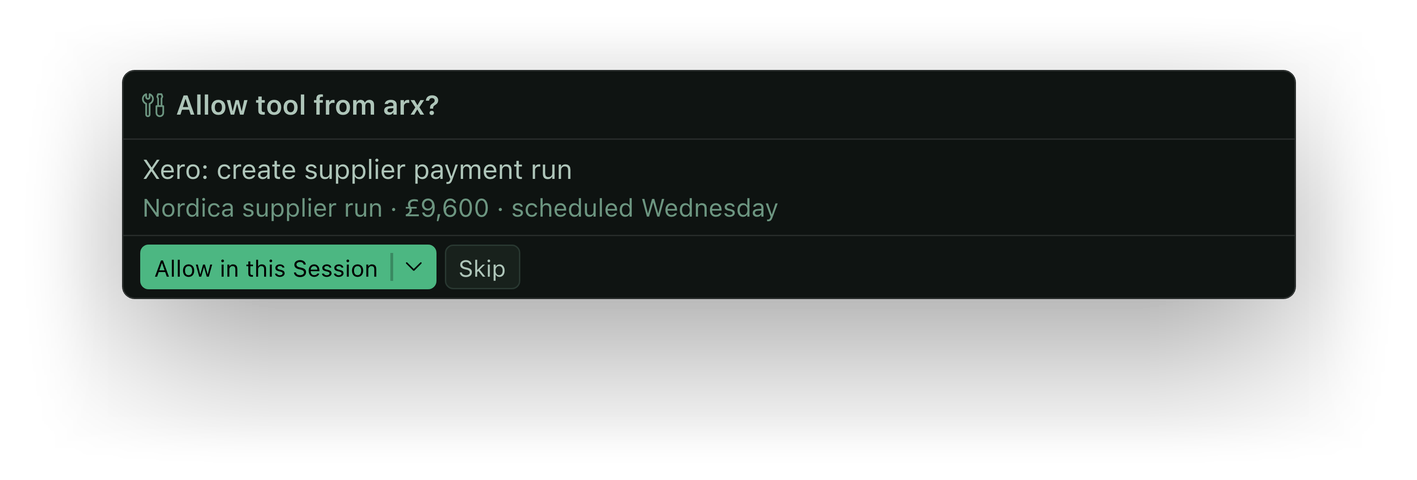
- Only then, give it the repeat work. The weekly report, the client update, the follow-up that never got sent. The OS prepares it from the same connected records, and a person approves it before anything leaves the building.
What changes once the data is in one place?
The first change is that the owner stops being the integration layer. Sean, who runs sales, property management, rentals and land acquisition in one real estate business, put a number on it: "once the system is set up completely, 60% of time, we're back easily. And because a lot of the stuff within the business is administrative, it takes a lot of time." Scaling a business without growing headcount, client film
The second change is speed on the work that used to wait for the picture to be assembled. Ben, the COO of a property developer with three brands going construction-ready at once, had a four-week plan to cascade across the company. With the connected records in front of him, "I could actually get that done in about four days." Streamlining business operations with AI, client film
The third change is the one owners rarely expect, because it is about hiring rather than software. Shanny, who is building seventeen pool villas and a residential community, had planned a full operations team before the OS went in: "I was thinking I might need six to eight people, now I need one." He also said it saves him "$10,000 to $15,000 a month." Running an SMB more profitably with AI, client film Those are his figures, on camera, and I quote them because a unified picture of the company is what made the difference between a hiring plan and a single seat.
I said the underlying point plainly at a room of founders earlier this year:
"Data is the most important thing, and how can you aggregate all the streams of data, whether it's sales calls, whether it's internal meetings, into one place, so that you as a business owner know exactly what's going on at any given point."
Alex, Correlating AI to revenue, Imperium mastermind
What should you watch out for?
Three things, in the order they bite.
The first is scope. If step one produces forty questions, the project is a warehouse in disguise. Ten questions, six tools, one afternoon.
The second is copying. If any proposal involves "migrating" your data into a new system, you are buying a second version of the truth and the maintenance that goes with it. Read, never copy.
The third is trust without receipts. An answer with no sources is an opinion. The reason our clients stop opening their tools is that they spent a week checking the sources and found them right. Skip that week and the team will quietly go back to the spreadsheet.
If you want to see where the hours are going in your own company before any of this, the three-minute audit is where every engagement starts. If you would rather read first, What an AI Operating System actually is covers the whole idea from the beginning.
Frequently asked
Do I have to replace my CRM or accounting software?
No. Every tool you run today stays the system of record for its own job, with the same logins and permissions. The OS reads across them and answers with the records it used. If anything, unifying the picture tells you which subscriptions nobody opens any more.
How is this different from connecting tools with Zapier or Make?
Integration tools move data between pairs of tools one trigger at a time, and someone has to maintain every rule. They cannot answer a question. The OS reads every connected tool live and answers in plain English with sources, and it prepares work for approval rather than firing rules in the background.
Where does the data live, and who can see it?
The data stays where it already lives. The OS is installed on your company's own machines, access is set per person by role, and every answer and action leaves an audit trail. Money never moves and nothing external is sent without a person approving it. The full set of controls is on our security page.
How long does it take before the team stops opening the old tools?
In our experience, about a week of checking sources. The first session connects the first wave of tools, and the following days are spent asking the weekly questions and reading the receipts behind the answers. Once the team has verified enough answers, they stop going tool by tool.
Is a 20-person company too small for this?
No. The companies we work with run from roughly 20 to 250 people, and the ones who feel the problem most are the smaller ones, because the owner is still the only place the data meets. Larger organisations can add an in-house AI lead through Embedded AI Teams.